 info@bestsoftcompany.com
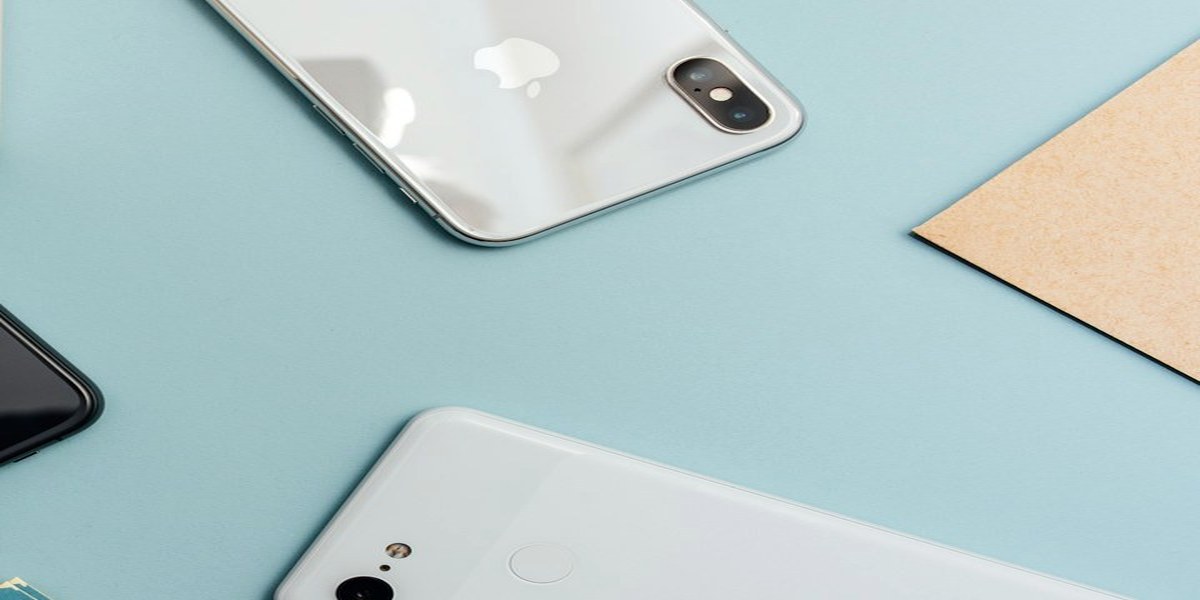
A mobile application is software installed on a phone or tablet and used as its own product, not only as a page inside a browser.
Not every business needs an app on the first day. Many companies first need a website that works well on a phone. An application is justified when the work on the device is repeated, personal, offline, or tied to the camera, location, notifications or a logged-in account.
Best Soft Company develops websites, custom software and mobile applications. Mobile application development as a service is described here:
https://www.bestsoftcompany.com/en/services/mobil-uygulama-gelistirme/
BEST SOFT starts from the job the user must complete on the phone, not from the idea that every company should publish in an app store.
What Is a Mobile Application?
A mobile application is a program built for a mobile operating system, most often iOS or Android.
After installation, the app can:
- open without typing a URL
- use device features such as camera, files, biometrics or location
- send notifications
- store data on the device
- talk to a server through an API
- keep a signed-in session
The public screens are only part of the product. Behind them there is usually a backend, an administration panel, user accounts and rules for what happens when the network is weak.
A website that looks good on a small screen is a mobile website. That is useful. It is not the same product as an installed application.
When a Mobile Website Is Enough
A mobile website is often enough when the visitor's job is to read, compare, contact or complete a short form.
Typical cases:
- corporate presentation
- service pages
- a catalog that collects inquiries
- a blog
- a simple booking form that does not need an account
If the main goal is to be found in search and to explain the company, the budget usually belongs on a professional website first. An app that only repeats the homepage does not earn its store listing, reviews or update cycle.
Responsive web design is still part of that website work. The phone browser remains the first place many customers arrive.
When a Native App Is Justified
A native application is built for a specific platform: Swift or Kotlin and the official tooling for iOS or Android.
Native work is justified when the product needs:
- strong offline use
- heavy device features
- a store presence
- performance that a browser page cannot hold
- a daily habit, such as orders, messages, field work or a customer portal
Native apps are two products if both stores are required. iOS and Android share a purpose, but they do not share one binary. Design, testing, certificates and store review are separate.
The extra cost is not only writing screens. It is also accounts, review, signing, crash reports and a release calendar.
Cross-Platform Development
Cross-platform tools aim to share one codebase across iOS and Android.
They can reduce duplicated screen work when the product is similar on both platforms. They do not remove the stores, the certificates, the device testing or the backend.
Cross-platform is a technical choice, not a promise that the project is half the price. Unusual device features, store policies and platform-specific bugs still appear.
Best Soft Company chooses native or cross-platform after the product is named. The label of the toolkit is not the brief.
Progressive Web Apps
A progressive web app (PWA) is a website that can be installed on the home screen and, in some cases, work with a cache when the network is weak.
A PWA can be a middle path when:
- the company already has a strong web product
- store review is not the main goal
- the feature set is close to a mobile site
- notifications and installability help, but full native access is not required
A PWA is still a web product. It follows browser limits. It is not a silent replacement for every native app, and it is not a replacement for a weak website.
Backend, APIs and User Accounts
Most business apps are not a closed file on the phone. They talk to a server.
The backend may handle:
- login
- profiles
- orders
- bookings
- messages
- files
- permissions
- reports
An API is the contract between the app and that server. If the contract is vague, every screen change becomes a negotiation.
User accounts bring password reset, session expiry, roles and personal data rules. A public information app may not need accounts. An operations app almost always does.
BEST SOFT plans the application and the backend as one system. An interface without a place to store the work is a demonstration, not a product.
App Store and Google Play
Publishing is part of the project.
Apple App Store and Google Play each have:
- developer accounts
- listing text and screenshots
- privacy information
- review
- versioning
- signing
A build that works on a test phone is not yet a published app. Review can reject a listing for missing policy text, broken login, or unclear purpose.
After release, updates are not optional. Operating systems change. A store listing that is not maintained becomes a support problem.
Notifications, Payments and Device Features
Notifications can bring the user back. They can also become noise. The product should send notices that the user asked for: order status, a booking reminder, a message, not a daily advertisement by default.
Payments in an app follow store rules and payment-provider rules. In-app purchases, web checkout and local payment methods are different paths. The brief must name which path the business actually uses.
Camera, files, location and biometrics each need a reason the user can understand, and a permission that can be refused without crashing the app.
Security, Privacy and Data on the Device
A mobile application may hold tokens, cached records and personal information.
Security work includes:
- transport over HTTPS
- careful storage of tokens
- least privilege for device permissions
- an administration side that is not left on default passwords
- a plan for lost phones and signed-out sessions
Privacy text in the store is not decoration. It must match what the app actually collects.
If the app is used by staff in the field, device loss is a business risk, not only a user inconvenience.
Design, Performance and Offline Use
Mobile design is not a scaled-down desktop layout.
Thumbs, one-handed use, slow networks and interruptions are normal. Primary actions should be reachable. Forms should not assume a large keyboard and a stable connection.
Performance is part of the product. Large images, chatty APIs and work on the main thread make the app feel broken even when the logic is correct.
Offline behaviour should be named. Does the app queue an order? Does it show the last catalog? Does it refuse to open? Silence is the worst option.
Maintenance After Launch
An application that is not updated will age faster than a static brochure website.
Maintenance includes:
- OS updates
- store policy changes
- crash fixes
- dependency updates
- content or catalog changes
- new device sizes
The people who will run the product need a way to change content without a developer for every sentence. If all copy is hard-coded, the app will freeze in its first version.
How to Choose Between Website, PWA and Native App
A practical order:
- If customers must find the company and understand the offer, start with a professional website.
- If the website is used daily and installability helps, consider a PWA.
- If the work needs a store listing, device features, offline use or a signed-in operations tool, plan a native or cross-platform application.
Forcing an app because a competitor has one is a weak brief. Copying a store screenshot does not define accounts, roles or data.
Website presentation packages are a different product from application development. How website prices are grouped:
https://www.bestsoftcompany.com/en/web-sitesi-fiyatlari/
If the business also sells online from a browser, that is an e-commerce website, not automatically a shopping app:
https://www.bestsoftcompany.com/en/e-ticaret-web-siteleri/
What a Useful Mobile App Brief Contains
A brief that can be estimated answers:
- who will use the app: customers, staff, or both
- which platforms: iOS, Android, or both
- which jobs must work on day one
- whether accounts exist
- which device features are required
- whether a public store listing is required
- which language or languages
- who will update content
- which existing website or software the app must connect to
Without those answers, a quote is a guess. With them, Best Soft Company can say whether the need is a mobile website, a PWA, a customer app or an internal tool.
Mobile Application Projects with Best Soft
Best Soft Company, based in builds websites, e-commerce, custom software and mobile applications.
A mobile project is planned around a real job on the phone, the backend that stores that job, and the store or install path that will carry the product after launch. Native, cross-platform and PWA are options, not slogans.
BEST SOFT does not treat an application as a set of decorative screens. The application has to be installed, used, updated and supported.
For mobile application development, start from the service page or from a short brief to info@bestsoftcompany.com.
Best Soft Company, Nadzaladevi N#15, Tbilisi. Write to info@bestsoftcompany.com. Phone +995 511 529 400. Site: https://www.bestsoftcompany.com/
Need a project like this?
Get a Quote